.jpg)

Some of the most useful changes are small. They make an existing habit safer, or they fill a gap you already knew was there. This release is that kind of update.
You could already add metadata to entities and attributes. Now the same idea applies to the model itself.
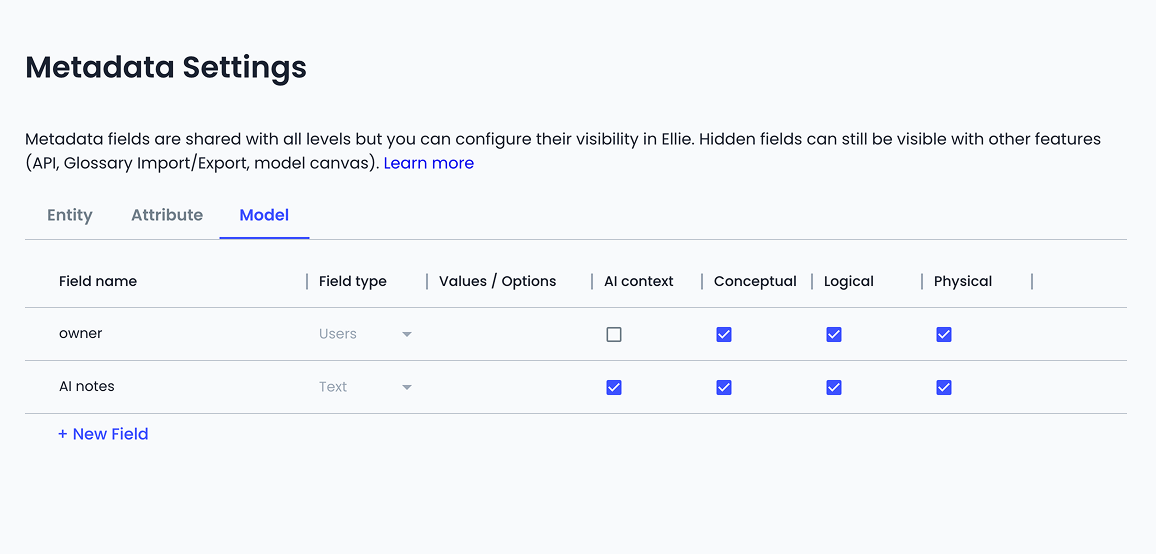
Admins set up the fields in Admin Tools → Metadata Settings, on the new Model tab. The types match what you already use: Text, Boolean, Chips, Users, and Technical. You choose which levels see each field, and you can mark a field as AI context when the content is meant for agents rather than everyday browsing.
On the canvas, open Model details from the toolbar. The Metadata tab holds the fields you configured. If any of them are marked as AI context, they appear on their own AI Context tab, the same way entity AI context already works.
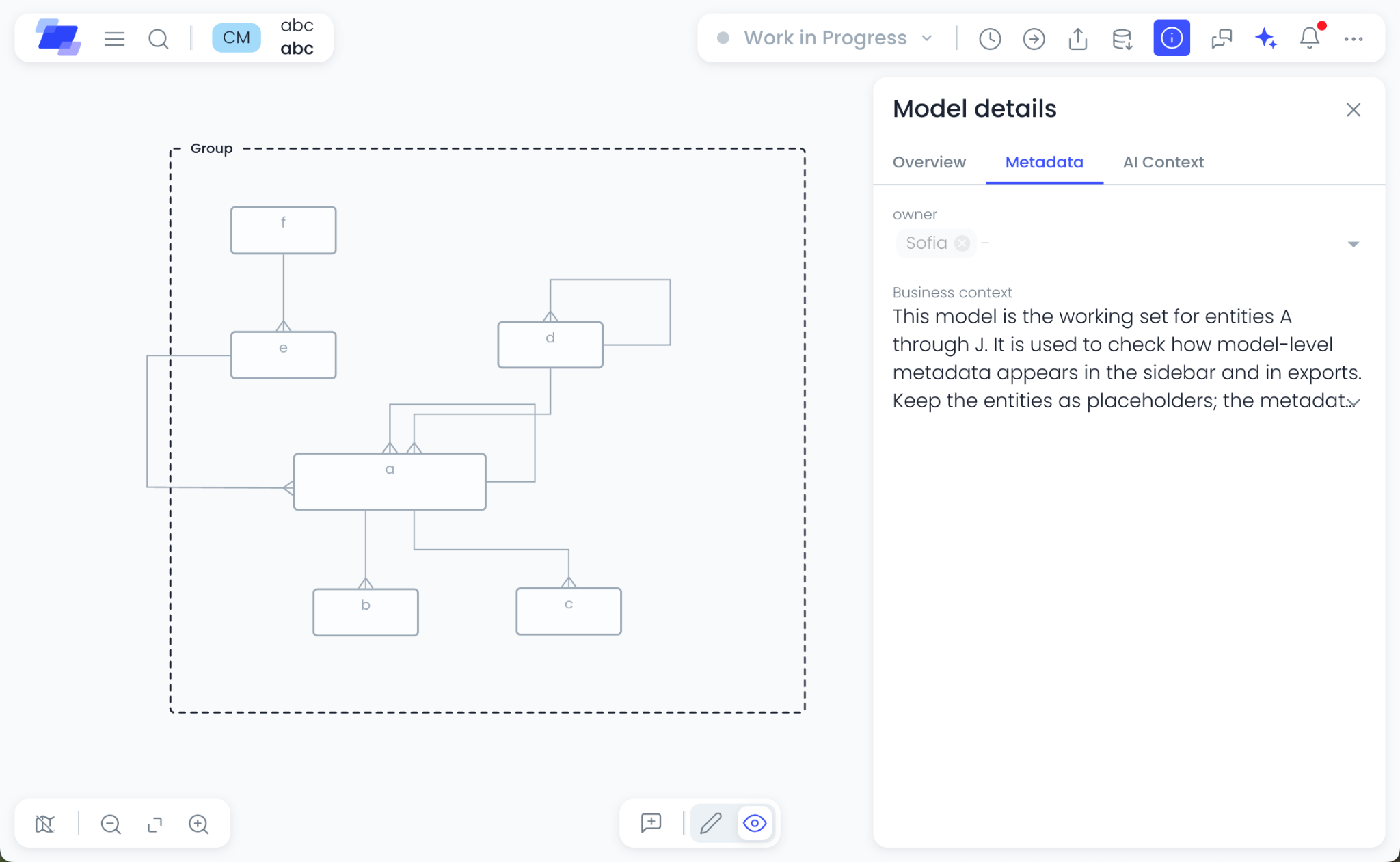
Use it for owner, status, domain, or an integration ID — anything that belongs to the diagram, not to a single entity.
See the Model Metadata guide.
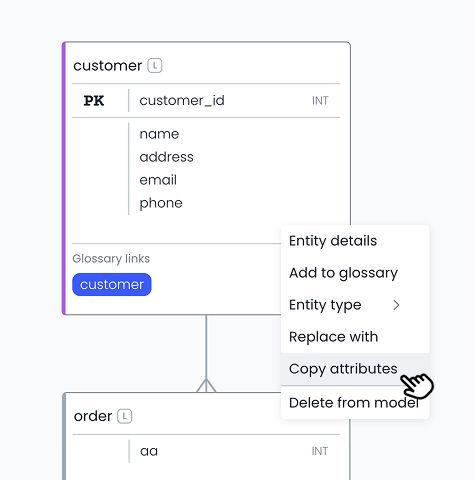
Copy attributes is not new. What is new is where it works.
You can copy attributes when the model is in view mode, and when you only have read access. Paste still needs edit access, as before.
That means you can share a template model as read-only: people take the attribute lists they need, and nobody can change the original by accident. Right-click the entity and choose Copy attributes, use hot keys, or select rows in the entity sidebar and copy from there.
If you link logical or physical entities to conceptual glossary terms, you can now set those links through the API — not only read them.
Use the top-level linkedEntities field inside entity, to get, create or update linked entities. Note: previously used metadata.links is deprecated, but it still exists for GET as before. Make sure to migrate to use linkedEntities instead. New integrations should read and write linkedEntities only.
To see which metadata fields your organization has configured — names, types, allowed options, level visibility, and which fields are AI context — call GET /api/v1/organization/metadata. The response covers entity, attribute, and model fields in one place, so you do not have to hard-code the list before you write values.
Questions or feedback? Reach us at support@ellie.ai or through in-app help.