
Snowflake connections are now more secure and simpler to use.
An admin sets up one connection for the organization. The token stays encrypted, and only admins handle it. Anyone importing a Physical model can use that same connection, without a password passed around the team.
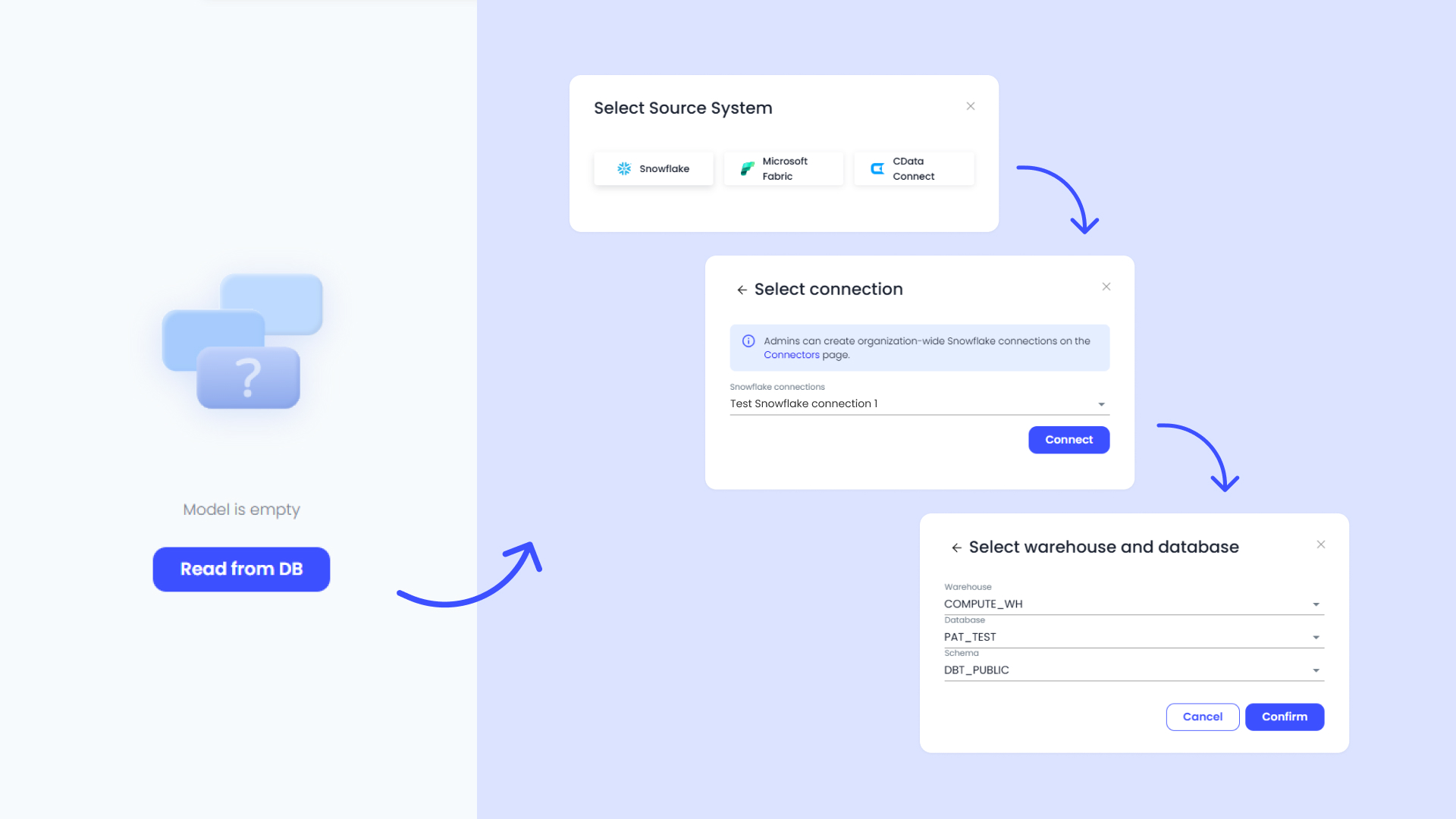
To create a new one, go to Admin Tools → Connectors. Your Snowflake admin creates a service user and a programmatic access token. Ellie can only import what the service user is allowed to see.
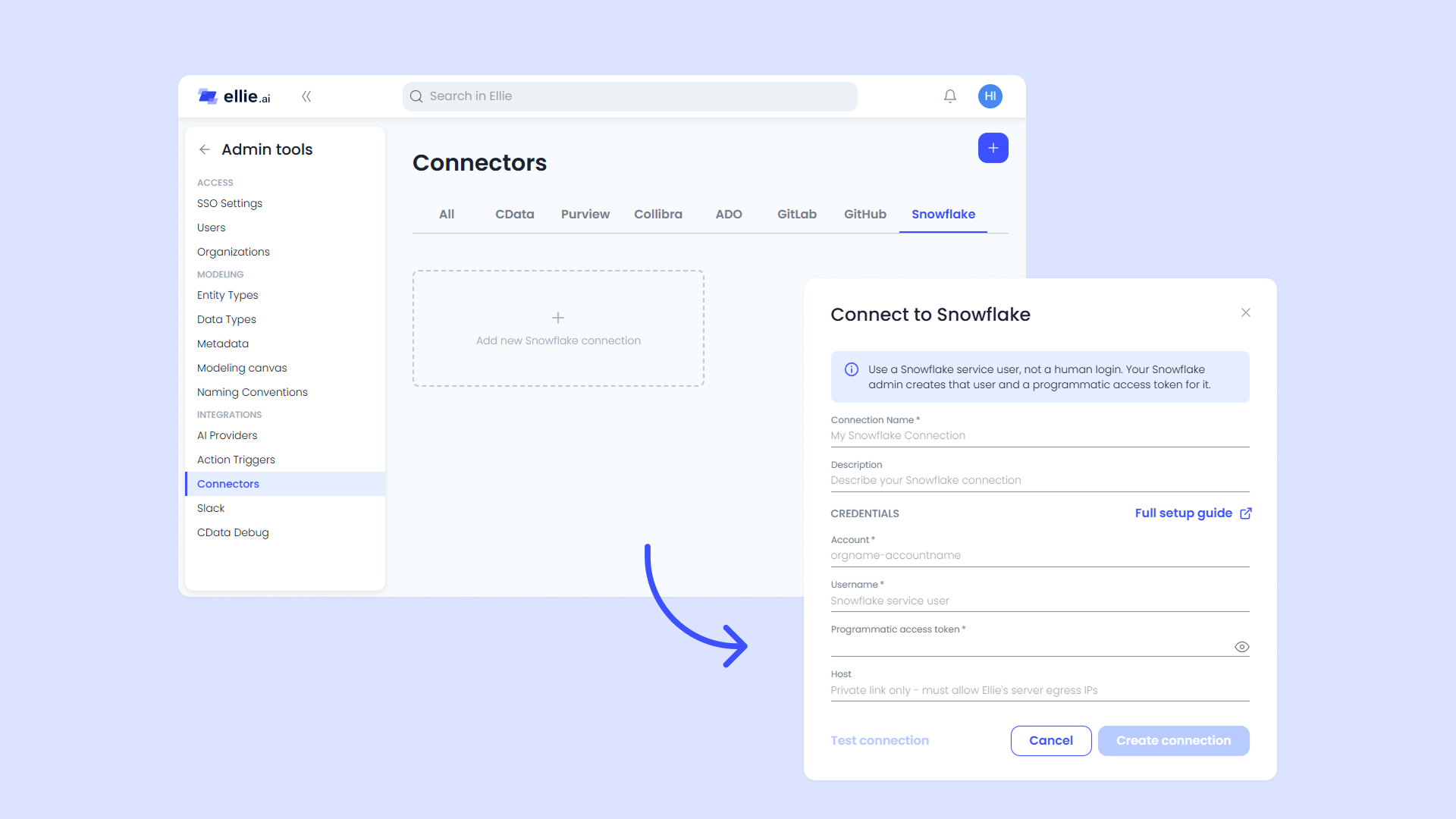
New personal password connections can no longer be created. Connections that already exist still work for the person who made them, until Snowflake turns off single-factor passwords. That change rolls out from August through October 2026, and the date depends on your Snowflake account. We advise to move those imports to the organization connection before then.
Tokens expire, so an admin needs to replace them from time to time. The Snowflake Integration guide covers setup and how to replace a token.
Add a connection and try an import on a Physical model. If you have any questions or need help setting up a connection, feel free to reach out to support@ellie.ai or ask for in-app help.