
Ellie 8.1: Meet the New Modeling Canvas
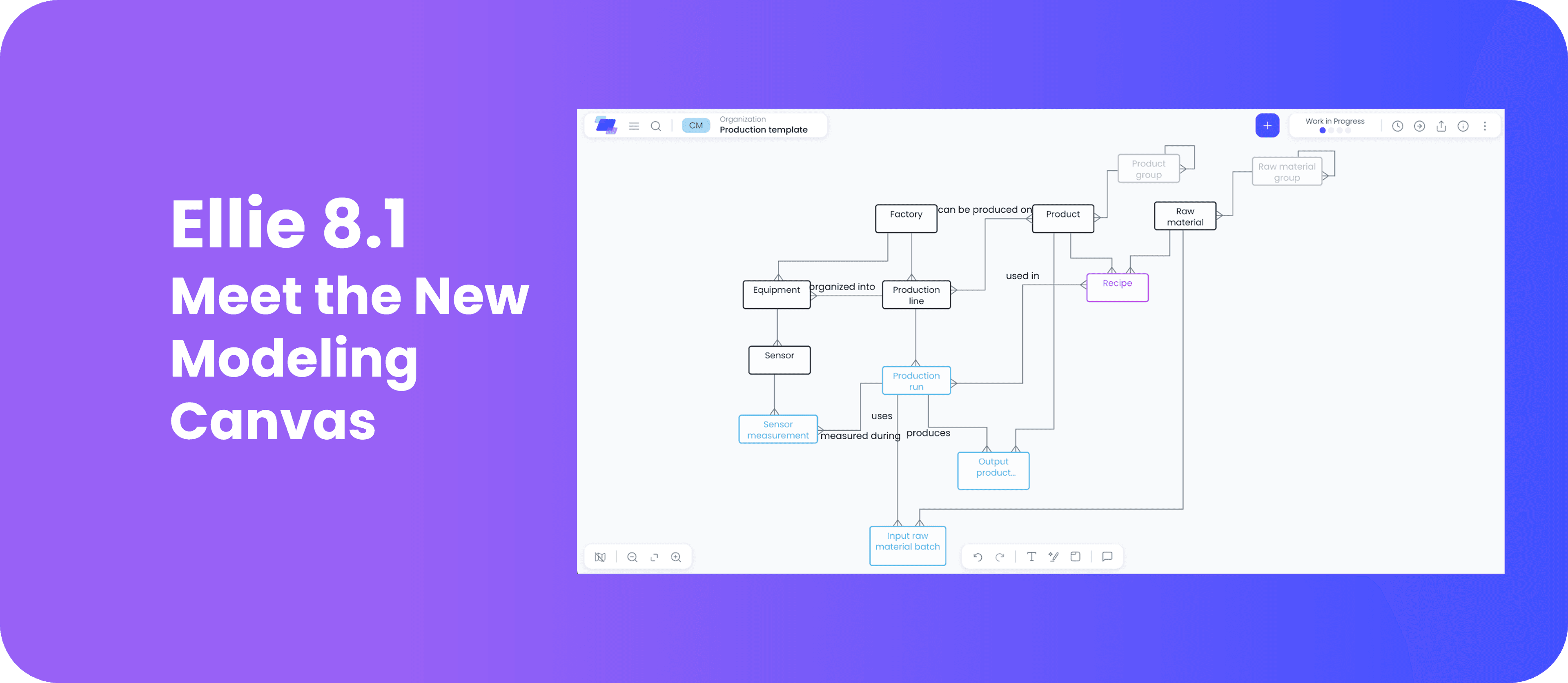
Ellie 8.1 brings a cleaner, more spacious Modeling Canvas with smarter bottom toolbars, a simplified spotlight-style search, and an optional left sidebar for a smoother modeling experience.
Abstract
Ellie 8.1 introduces a significantly upgraded Modeling Canvas, designed to enhance user focus, provide more modeling space, and deliver a smoother overall experience. This major update, driven by user feedback, addresses previous clutter by reorganizing navigation and simplifying toolbars. Key improvements include a cleaner, more spacious interface, smarter bottom toolbars for essential tools, and a simplified search and optional left sidebar. This new foundation aims to support continued functionality additions without overwhelming the user interface, offering greater clarity, consistency, and control for all modeling stages.
We've just released a major upgrade to the Ellie Modeling Canvas, and it's now live for everyone. This update is all about giving you more focus, more modeling space, and a smoother experience—based on your feedback. Watch the video below to see the updates in action.
As we work tirelessly to listen to your feedback and continuously improve the tool, we recognized that the modeling canvas had become increasingly cluttered over time. Each new feature added value—but also complexity. While powerful, the canvas began to feel cramped, especially during deep modeling sessions. So, we took a step back and returned to the drawing board.
The new canvas is cleaner, more intuitive, and gives your models the breathing room they deserve.
Please see our user guide for more detailed information
What's New?
1. A Clean, Spacious Interface
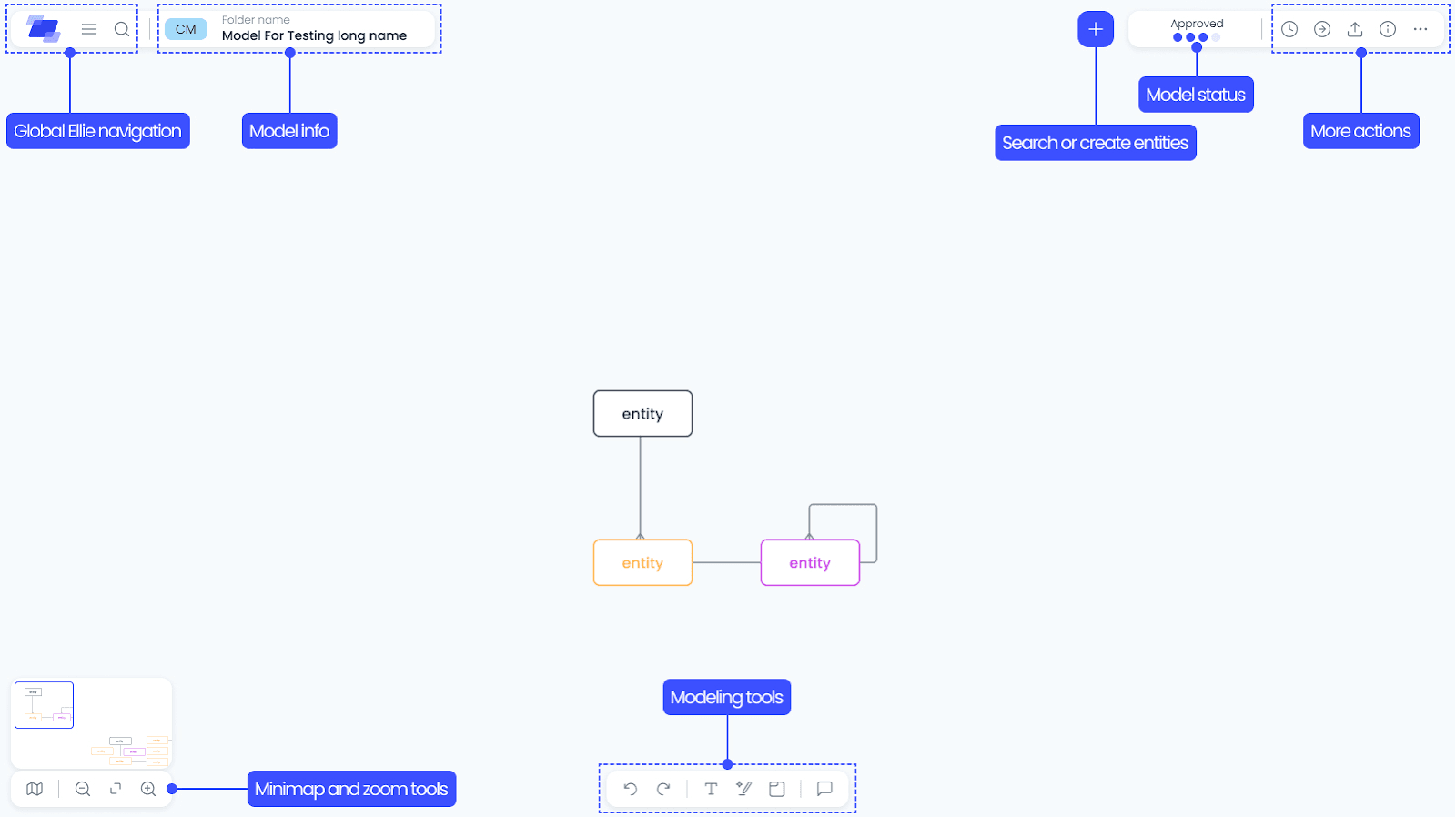
We've reorganized navigation, minimized persistent toolbars, and focused the canvas area around what matters most: your model.
2. Smarter Bottom Toolbars

Essential modeling tools—like Zoom, Show minimap, Undo/Redo, Add Comment, Auto Group, and Draw Relationship—have moved to the bottom bar, freeing up your top workspace.
3. Simplified Search and Sidebar

Our redesigned spotlight-style search is fast and familiar, and the left sidebar is now optional—open it only when needed using the triple-line menu.
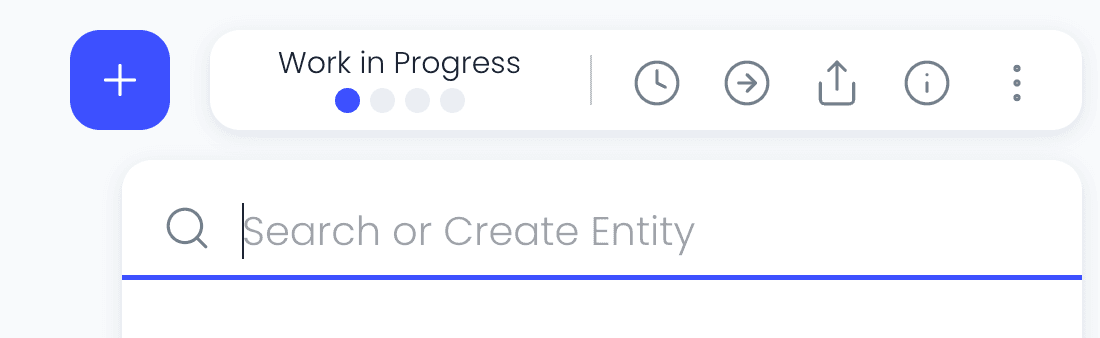
The right sidebar holds model-level workflow tools like add entity (from the + button), version history, convert the model, export and model info.
Built for the Future
This new foundation allows us to keep adding functionality without overwhelming the UI. Whether you're modeling conceptually, logically, or physically—you now have more clarity, consistency, and control.
Try It and Tell Us What You Think
Jump in now and explore the new canvas in your Ellie workspace. We'd love to hear what you think - your feedback is more valuable than you can imagine. Have questions? Just reach out via in-app support.
Thanks for helping us build the future of data modeling, – The Ellie Team
Ellie.ai Team
Ellie.ai
The team behind Ellie, writing about semantic data modeling, enterprise data architecture, and building the backbone for trustworthy AI.