
Ellie 9.9: Review Workflow for Folders
Turn any folder into a review workflow: edits land in a development branch, reviewers comment and approve, and master stays stable until you merge.
Abstract
Glossaries and models often need more than one set of eyes before they're final. With this release, you can turn any folder into a review workflow, so changes go through discussion before they become the version everyone relies on.
Edit in a development branch, merge when it's ready
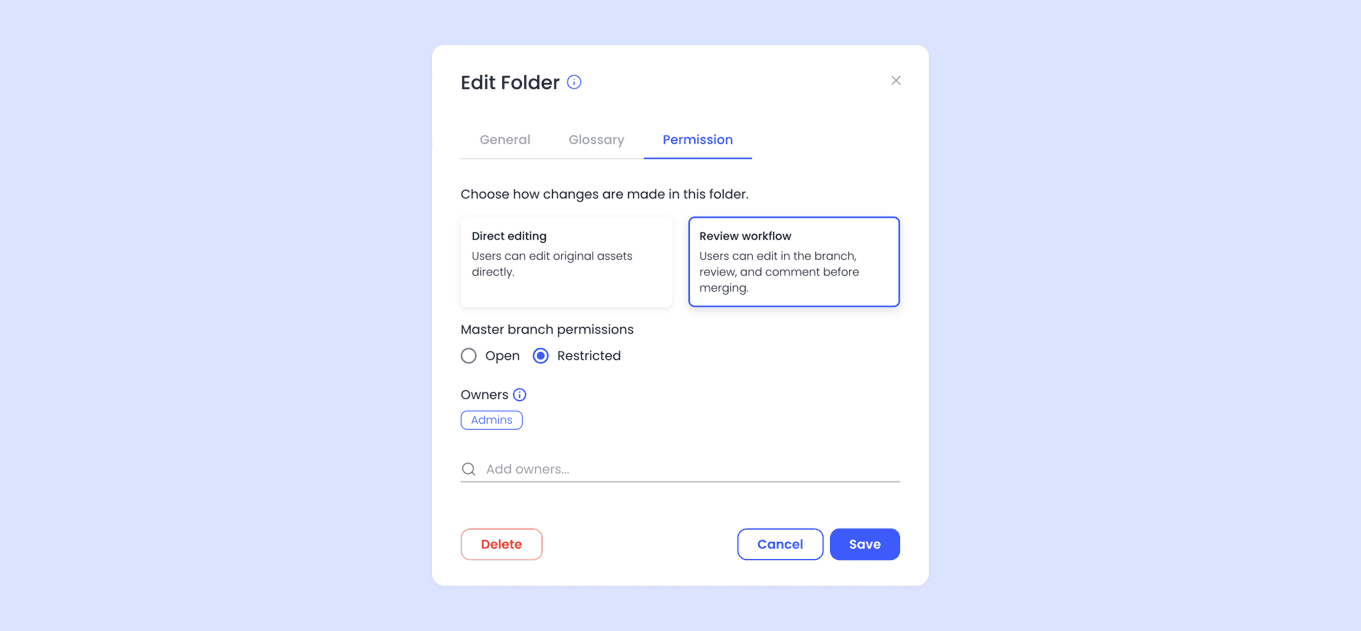
Review Workflow can be turned on for a selected folder in a folder's permissions. When enabled, instead of writing straight to the shared version, all edits land in a development branch. The master branch stays untouched—read-only, stable, and always reflecting the last approved state.
That separation means people can keep working and experimenting without putting the version everyone else depends on at risk.
The day-to-day flow is simple:
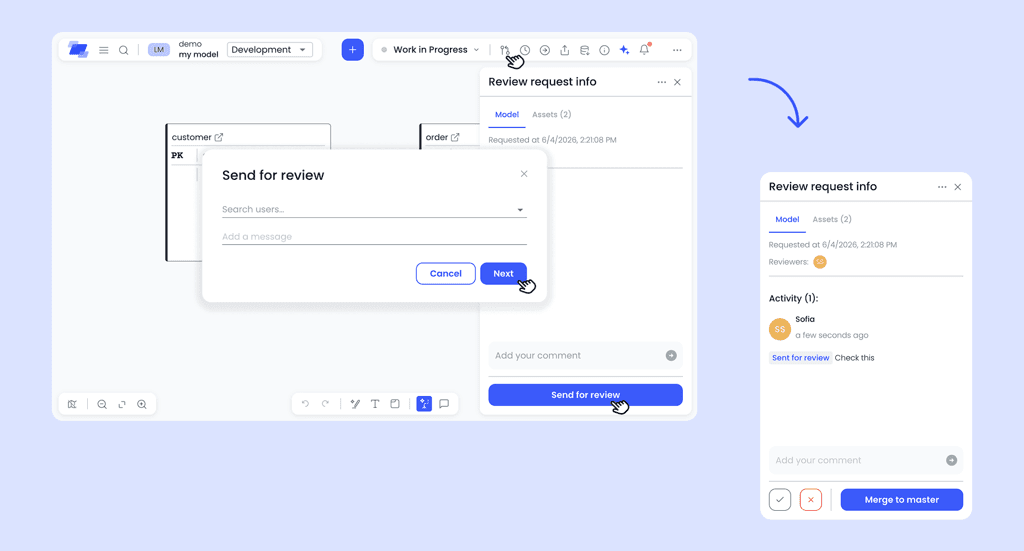
- Edit — switch to the development branch and make your changes as usual.
- Send for review — pick reviewers and add a note if it helps. Any assets your changes depend on are included automatically.
- Get feedback — reviewers accept, reject, or leave comments directly on the asset.
- Merge — once you're ready, merge the branch into master.
Review without leaving the asset
Reviewers work from a review sidebar right on the asset. They can accept or reject changes, leave comments, and check the dependencies tab to see what else is affected—no need to hunt for context elsewhere.
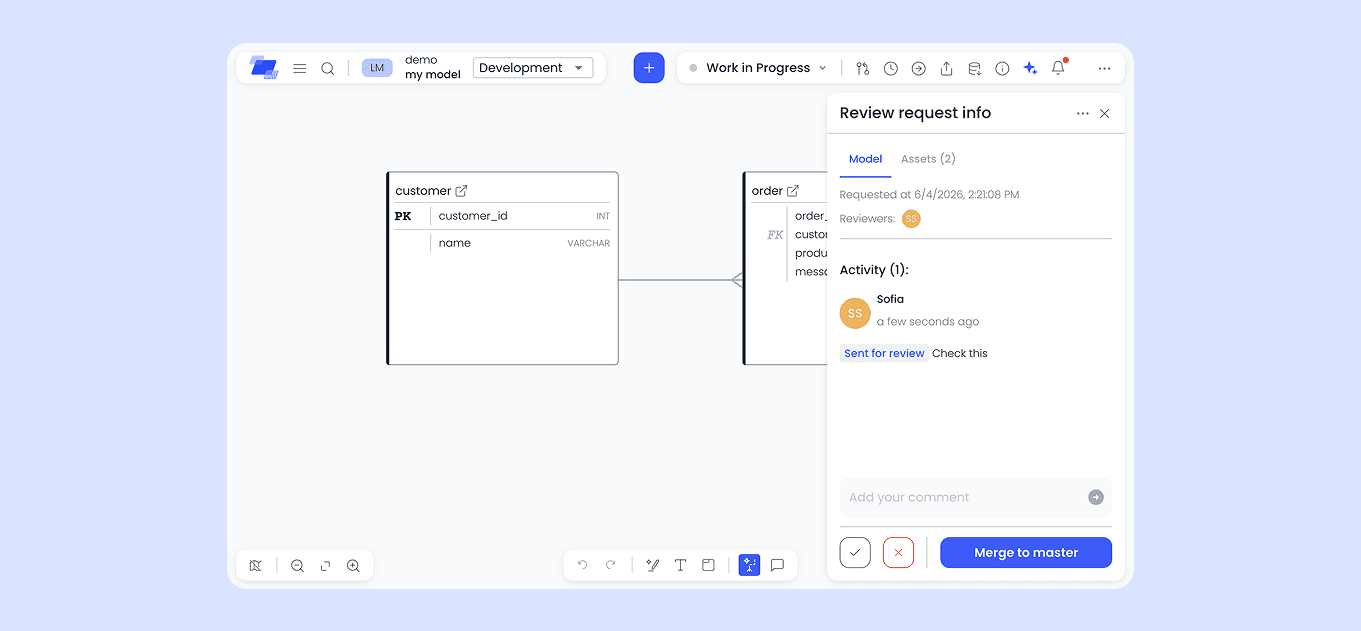
Merging
If you're merging a model, its glossary entities and relationships are merged along with it, so master never ends up in a half-updated state. By default, anyone can merge, even without full reviewer sign-off—Ellie just gives you a heads-up if nothing's been accepted yet. If you want to be more strict, a set of owners can be assigned to a folder. Only those selected people will be able to merge to master.
Staying in the loop
Notifications keep everyone in the loop, whether an asset was sent for review, merged, or someone was mentioned in a comment—so reviewers know what's waiting for them and editors know when their work has moved forward.
Where to start
Review Workflow applies at the folder level and is set up by admins or folder owners in folder permissions. It's a one-way switch for now—there's no reverting a folder back to direct editing—so it's worth confirming with your team before turning it on.
Read the full Review Workflow guide for setup steps and role details, or reach out at support@ellie.ai if you have questions getting started.
Ellie.ai Team
Ellie.ai
The team behind Ellie, writing about semantic data modeling, enterprise data architecture, and building the backbone for trustworthy AI.